
Quick answer: A Pop717 invitation code is a referral code that links your new account to the person or agent who invited you. You enter it in the optional “referral / invitation code” field on the sign-up form, before you tap Register. Registering without one is allowed, but the code usually cannot be added after the account is created.
What is a Pop717 invitation code?
When an existing player or agent shares an invite link from the Invite Center, the link carries their code. If you open that link, the code is often filled in for you. If someone gives you the code as text, you type it into the field yourself. The code tells the platform who referred you so that any referral activity shown in the Invite Center can be credited correctly. Learn about the whole platform on our Pop717 game guide.
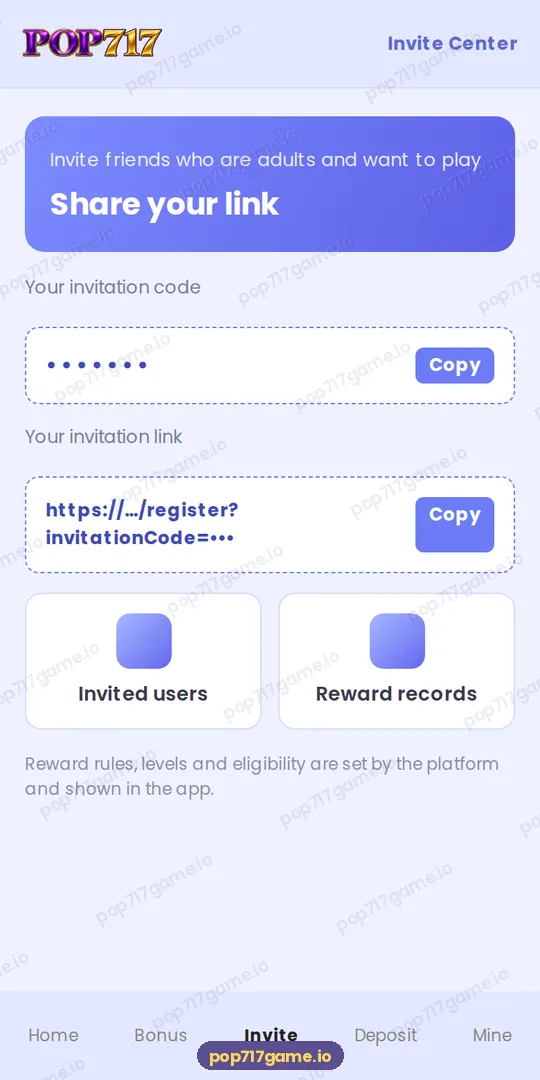
The image above is an illustration of an invitation screen, based on the Invite Center layout, not a screenshot of a real account.
Five smart facts before you sign up
- It is optional. You can complete registration without a code.
- Timing matters. Enter it during sign-up; most platforms do not let you add it later.
- It must be exact. Codes are case-sensitive and should have no spaces.
- Rewards follow the rules in the app. Any benefit tied to an invitation is set by the platform and shown in the Bonus or Invite areas.
- Never pay for a code. Real invitation codes are free to share.
How do I enter a Pop717 invitation code?
- Open the Register form using the button on this page, or tap the invite link you received.
- Fill in your username and password.
- Paste or type the code into the referral / invitation code field.
- Check it carefully, then tick the age and terms boxes.
- Tap Register and log in.
Invitation code vs redeem code vs gift code
| Code type | Where you use it | When |
|---|---|---|
| Invitation code | Registration form | Only during sign-up |
| Redeem code | Redeem Code page in Bonus | Whenever a code is released |
| Gift code | Gift Code item in side menu | When an event shares one |
Read more on the redeem code and gift code pages. If you want to share your own code, see invite friends.
What if my Pop717 invitation code is invalid?
- Check for a missing or extra character.
- Remove spaces at the start or end.
- Ask the person who shared it to copy it again from their Invite Center.
- If it still fails, register without it or contact customer care before you finish sign-up.
Frequently asked questions about Pop717 invitation code
Where do I find a Pop717 invitation code?
A friend or agent shares it from their Invite Center as a link or a short code.
Can I add an invitation code after registering?
Usually not. Enter it on the sign-up form before you tap Register.
Is a Pop717 invitation code required?
No. The field is optional.
Does an invitation code give me a bonus?
Any reward depends on the platform’s current rules, which are shown in the app. No bonus is guaranteed.
Can I use my own invitation code?
No. A code links a new account to a different, existing player.
Is it safe to buy an invitation code?
No. Genuine codes are free, and paid codes are a common scam.
Related Pop717 guides
- Pop717 Bonus: Pop717 bonus guide: the All, Pending, VIP, Redeem Code and History tabs, how event rewards appear and which terms to read before you claim anything.
- Pop717 Redeem Code: Pop717 redeem code guide: open Bonus, choose Redeem Code, paste the code and tap Redeem Bonus.
- Pop717 Gift Code: Pop717 gift code guide: find the Gift Code button in the side menu, use codes before they expire and avoid paid code sellers and phishing chats.
Key takeaways
- Enter the code only on the sign-up form.
- It is optional and must be typed exactly.
- Never pay for a code and read reward rules inside the app.
Last updated: November 19, 2026