
Quick answer: To add a bank account on Pop717, open the Mine section or the withdraw screen, choose to add a payout account, enter your account holder name, account number and IFSC (or UPI or wallet details where offered), confirm with your password and save. Use only accounts in your own name.
Why Pop717 add bank account should be done early
Linking a payout account before your first withdrawal saves time and lets any checks finish in advance. It also reduces errors when you are in a hurry. See the main Pop717 withdrawal guide.
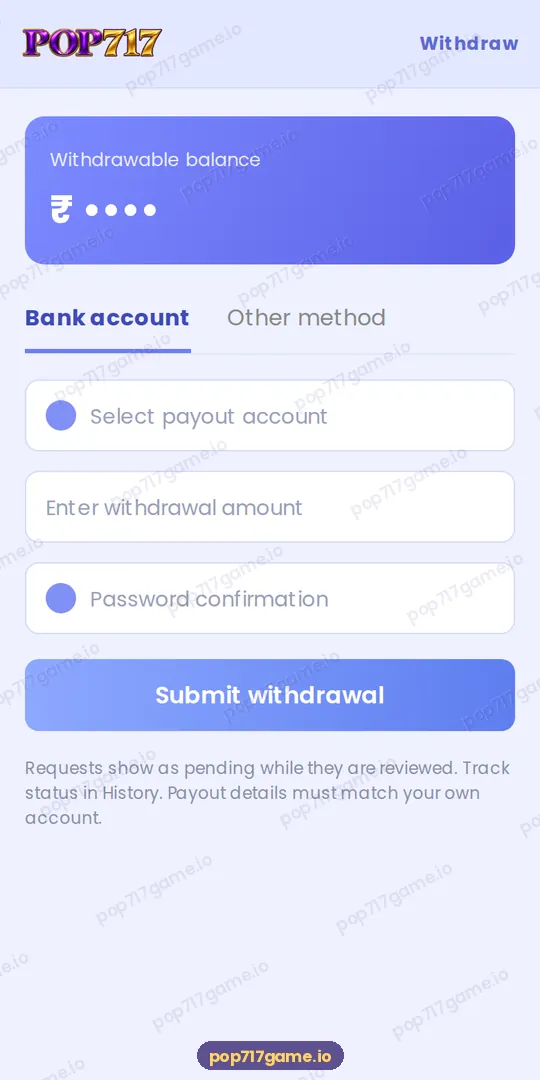
The image above is an illustration of the withdraw screen, not a screenshot of a real account.
Five easy steps to link payouts
- Log in and tap Mine, or open the withdraw screen.
- Choose Add bank account or a similar payout option.
- Enter the holder name exactly as on your bank records.
- Enter account number and IFSC carefully, or the wallet details requested.
- Confirm with your password and save.
Pop717 add bank account: details to double-check
| Field | Common mistake | Tip |
|---|---|---|
| Holder name | Nickname or short form | Match bank records |
| Account number | Missing digit | Re-enter twice |
| IFSC | Wrong branch code | Copy from cheque book or bank app |
| Wallet address | Wrong network | Match the network shown |
Can I change my payout account later?
Some platforms limit how often payout details can change, for security. Ask customer care if you need to update yours. Never let anyone else add their account to your profile. More tips are in our account security guide and the Pop717 game homepage.
Frequently asked questions about Pop717 add bank account
Where do I add a bank account on Pop717?
In the Mine section or the withdraw screen.
Can I add a UPI ID instead of a bank account?
Use the payout options your screen shows.
Can I add a friend’s account?
No. Use an account in your own name.
Why was my bank account rejected?
Check the name, account number and IFSC.
Can I add more than one account?
It depends on the platform. Check the screen or ask support.
Guides related to Pop717 add bank account
- Pop717 Wallet: Pop717 wallet guide: where to see balance, deposits, withdrawals and bonus records in Mine and History, and how to keep a clean personal ledger.
- Minimum Withdrawal: Pop717 minimum withdrawal guide: where the limit appears, how turnover or bonus rules can affect eligibility and how to plan a smooth cash-out.
- Withdrawal Time: Pop717 withdrawal time explained: review checks, payout method, bank processing and peak hours that affect how quickly a request is completed.
- Pop717 Deposit: Pop717 deposit guide: use Bank Transfer, UPI, USDT or Crypto, copy payment details exactly, keep receipts and avoid duplicate payments.
Key takeaways on Pop717 add bank account
- Link a payout account in your own name.
- Double-check every digit and the IFSC.
- Do it before you need to withdraw.
Last updated: November 19, 2026