
Quick answer: To get a Pop717 app update, watch for the “Discover a new version” prompt and tap Online Installation, or open the platform in your browser and install again from the banner. Your account and balance are stored online, so updating does not erase them.
Why update the Pop717 app?
Updates fix bugs, improve loading and add new games or reward screens. An old version can cause blank pages, login loops or games that refuse to open. Read app not working if you have one of those problems now.
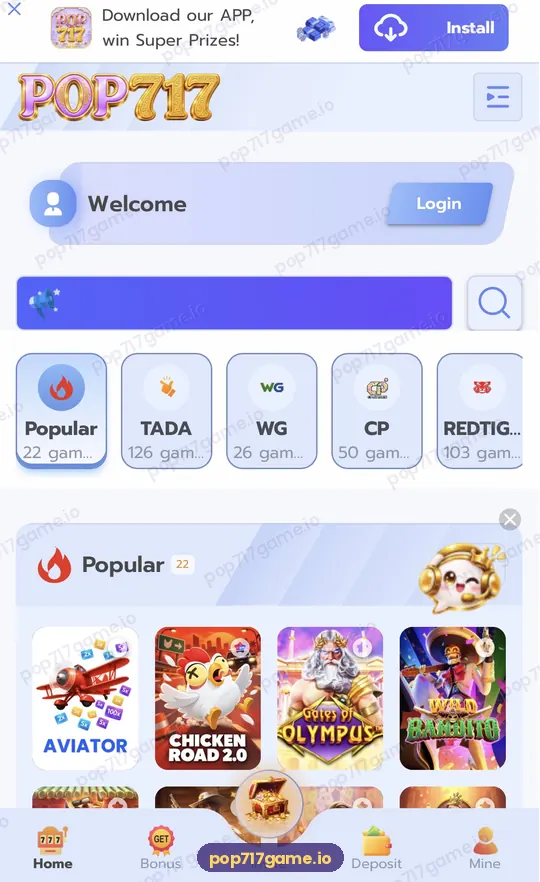
Five quick steps to get the new version
- Open the app or the site and look for the new-version prompt.
- Tap Online Installation.
- If Android asks, allow the install for your browser only.
- Install over the old version, or remove the old one first if it fails.
- Open the app and log in; check your balance is the same.
Update troubleshooting
| Problem | Fix |
|---|---|
| App not installed | Uninstall old version, then install again |
| No prompt shown | Open the site in Chrome and use the banner |
| Still old after update | Clear app cache and restart phone |
| iPhone shortcut outdated | Remove shortcut and add it again from Safari |
Will I lose anything?
No. Balances, records and settings stay on your account. You may need to log in again. Make sure you remember your password first, or reset it with forgot password. For full app help, see the Pop717 app guide and our Pop717 homepage.
Frequently asked questions about Pop717 app update
How do I know there is a Pop717 app update?
The app shows a “Discover a new version” prompt when one is available.
Do I need to uninstall first?
Usually not. If the install fails, remove the old version and try again.
Will updating delete my balance?
No. Your balance is stored on your account.
Can I update from Telegram files?
No. Use only the platform’s own prompt.
How do iPhone users update?
The Safari shortcut loads the latest site automatically.
Guides related to Pop717 app update
- Pop717 App vs Browser: Pop717 app vs browser compared: speed, storage, updates, notifications and safety so you can choose the access method that fits your phone best.
- Pop717 for PC: Pop717 for PC guide: open the site in Chrome or Edge, install it as a desktop app, adjust the layout and keep your login safe on shared computers.
- Pop717 Mine Section: Pop717 Mine section guide: profile, balance, deposit and withdrawal records, security settings, notifications and support entry points explained.
- Pop717 Login: Pop717 login guide: sign in with username or +91 phone number, use Remember password, reset a forgotten password and keep your account safe.
Key takeaways on Pop717 app update
- Use the platform’s new-version prompt.
- Updates do not affect your balance.
- Reinstall cleanly if an update fails.
Last updated: November 19, 2026