
Quick answer: A Pop717 bank transfer deposit uses IMPS or NEFT from your net banking or bank app. Choose Bank Transfer in the Deposit tab, copy the account name, number and IFSC shown, send the exact amount, and keep the transaction reference until the balance updates.
When should I use a Pop717 bank transfer deposit?
Bank transfer suits larger amounts or players who prefer net banking over UPI. IMPS is usually faster than NEFT. Compare all methods in the Pop717 deposit guide.
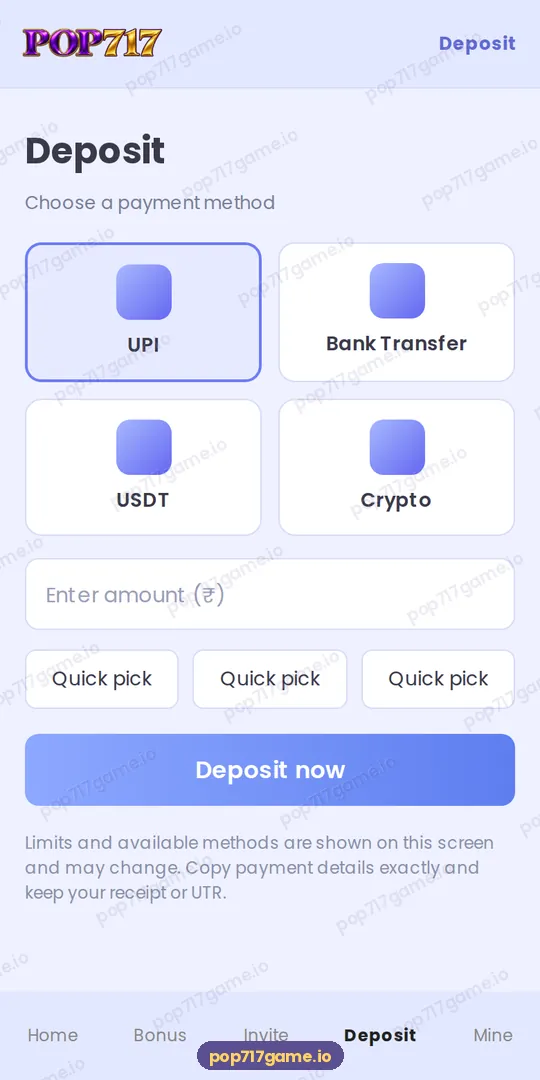
The image above is an illustration of the deposit methods screen, not a screenshot of the live cashier.
Six clear steps that work
- Log in and open Deposit.
- Choose Bank Transfer and enter the amount.
- Copy the beneficiary name, account number and IFSC exactly as shown.
- Add the beneficiary in your bank app if required.
- Send the exact amount using IMPS where possible.
- Return to Pop717, submit any reference requested and wait for the update.
IMPS vs NEFT
| Feature | IMPS | NEFT |
|---|---|---|
| Speed | Usually instant | Batch-based, can be slower |
| Availability | 24/7 | 24/7 at most banks |
| Best for | Most deposits | Larger planned transfers |
| Proof | Reference number | UTR number |
Pop717 bank transfer deposit mistakes to avoid
- Sending a rounded amount when an exact figure is shown.
- Using details saved from an earlier deposit.
- Sending from someone else’s bank account.
- Paying twice when the first transfer is still processing.
If funds are missing, read deposit problem. For general help, see the Pop717 India guide.
Frequently asked questions about Pop717 bank transfer deposit
Can I use NEFT for a Pop717 bank transfer deposit?
Yes, but IMPS is usually faster.
Should I save the beneficiary for next time?
Always check the details shown for each new deposit, as they may change.
How long does a bank transfer take?
IMPS is often quick; NEFT may take longer.
What proof should I keep?
The transaction reference or UTR and a screenshot of the receipt.
Can I deposit from a family member’s account?
It is safer to use an account in your own name.
Related Pop717 guides
- Pop717 USDT Deposit: Pop717 USDT deposit guide: pick the right network, copy the wallet address, send a test amount and save the transaction hash.
- Pop717 UPI Deposit: Pop717 UPI deposit guide: choose UPI, copy the UPI ID or scan the code, pay from your own app, save the UTR and check your balance.
- Pop717 Crypto Deposit: Pop717 crypto deposit guide: match the coin and network, copy addresses, watch fees and confirmations and keep proof of every transfer you send.
- Pop717 Deposit: Pop717 deposit guide: use Bank Transfer, UPI, USDT or Crypto, copy payment details exactly, keep receipts and avoid duplicate payments.
Key takeaways
- Prefer IMPS for speed.
- Copy fresh details for every deposit.
- Keep your reference number.
Last updated: November 19, 2026