
Quick answer: Pop717 for PC works in any modern desktop browser. Open the platform from the button on this page in Chrome, Edge or Firefox, log in, and play in a window or full screen. You can also install it as a browser app from Chrome’s address bar if the option appears.
Five simple ways to play on a laptop easily
- Browser tab: Open the link in Chrome, Edge or Firefox.
- Bookmark: Save the page after login for one-click access.
- Browser install: In Chrome, use the install icon in the address bar when shown.
- Mobile view: Shrink the window or use full screen for a phone-style layout.
- Android emulator: Some players use one to run the APK, but the browser is simpler and safer.
PC vs mobile comparison
| Feature | PC browser | Mobile app |
|---|---|---|
| Screen size | Large, good for live tables | Compact |
| Install | Not needed | Prompt or home-screen shortcut |
| Typing | Easier for search | Touch keyboard |
| Portability | Desk only | Anywhere |
Tips for desktop play
- Keep your browser updated.
- Do not save passwords on shared or office computers.
- Use a wired or strong Wi-Fi connection for live games.
- Log out when you finish.
See app vs browser and the main Pop717 game guide for more.
Does Pop717 look different on a desktop?
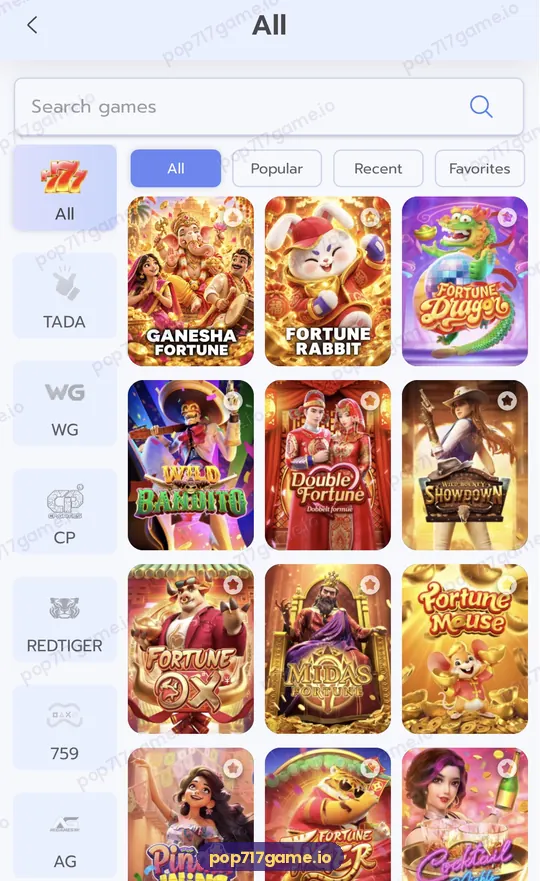
The platform is designed for phones first, so on a wide monitor the lobby may appear as a centred column with empty space on each side. This is normal. You can zoom the browser in for larger tiles, or make the window narrower so it looks like a phone screen. Live casino tables and slots often scale up nicely, giving clearer cards, dice and reels than a small phone.
Laptops are also handy for account admin. Typing a long password, checking transaction records and comparing deposit receipts with your bank statement is easier with a keyboard and a larger screen. Just remember that office or shared computers are not the place to save passwords. Use a private window if you must sign in on a computer that is not yours, and log out at the end.
Frequently asked questions about Pop717 for PC
Is there a Pop717 PC download?
You do not need one. The platform runs in desktop browsers.
Which browser is best?
Any up-to-date Chrome, Edge or Firefox works well.
Can I use the same account on PC and phone?
Yes. One login works everywhere.
Why does the page look like a phone layout?
The design is mobile-first and scales to fit desktop windows.
Is an emulator safe?
Use only trusted emulators. The browser is the simplest option.
Guides related to Pop717 for PC
- Pop717 App Update: Pop717 app update guide: what the Discover a new version prompt means, how to update safely, keep your login and fix an app that will not open.
- Pop717 iOS: Pop717 iOS guide: open the site in Safari, add it to your Home Screen, sign in and keep it updated on iPhone or iPad.
- Pop717 App vs Browser: Pop717 app vs browser compared: speed, storage, updates, notifications and safety so you can choose the access method that fits your phone best.
- Pop717 Login: Pop717 login guide: sign in with username or +91 phone number, use Remember password, reset a forgotten password and keep your account safe.
Key takeaways on Pop717 for PC
- Pop717 for PC needs only a browser.
- Bookmark or install from Chrome for quick access.
- Same account across devices.
Last updated: November 19, 2026